BK8 registration requirements
Get every detail ready before you open the form. If you abandon the form halfway, your phone number or email may stay on record, and a second attempt with the same details can get rejected.
Before you start
- Age 21 or over.
- A valid KTP or passport.
- A bank account or e-wallet in your own name.
- An active Indonesian phone number that receives SMS.
- An email inbox you can open right away.
The name on the BK8 register form must match the name on your KTP and your bank account exactly. The operator compares all three at the first withdrawal. One different letter, such as an abbreviated middle name, can hold a payout until the details are fixed.
One person may hold one account. Nearly every betting operator puts this rule in its general terms, and duplicate accounts are usually closed along with their balances.
BK8 sign up from a phone browser
The steps below use a phone browser, and the order is identical in the Android app. It takes about five minutes if your details are ready.
- Open the site with the button
Tap the sign-up button on this page, then check the address of the site that opens before you enter any details.
- Tap the sign-up button
On the BK8 register page, look for the button at the top. The Indonesian interface labels it Daftar, the English one Join Now.
- Create a username and password
Pick a username without spaces and a password of at least 8 characters that you have not used anywhere else.
- Enter your name, email and phone number
Type your full name as on your KTP, an active email and an Indonesian phone number that receives SMS.
- Choose country, currency and date of birth
Select Indonesia and IDR, then enter your date of birth as on your documents. The currency usually cannot be changed later.
- Enter the OTP code
Type the code sent by SMS or email to activate the account.
- Log in to the new account
Sign in with your username and password, then open the profile menu to finish verification.
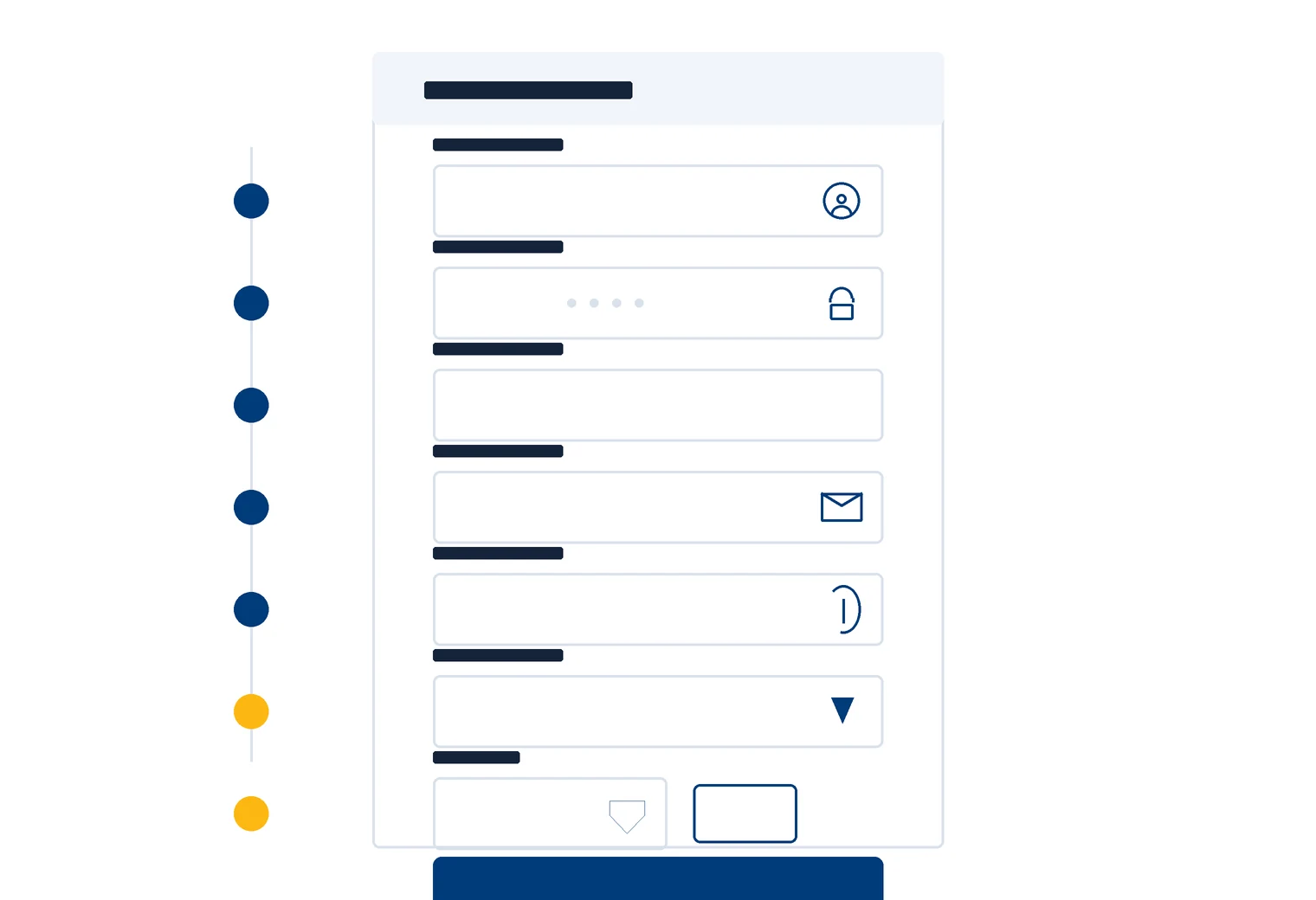
The OTP code usually arrives within a minute or two. Keep the form open while you wait, because requesting a new code cancels the previous one.
Signing up on a laptop
On a laptop, the BK8 register form has the same fields in the same order as on a phone. The OTP still goes to your phone, so keep it nearby. The upside of a laptop is that spelling mistakes in your name and email are easier to spot before you submit. Once the account is live, you can log in from any device with the same username and password.
Filling in the BK8 account form
Most account problems start with the form. This table shows the right input for each field and the mistakes that come up most.
| Field | What to enter | Common mistake |
|---|---|---|
| Username | Letters and numbers, no spaces | Your full real name, which is easy to guess |
| Password | At least 8 characters, mixing letters and numbers | The same password as your email or social media |
| Full name | As on your KTP, middle name included | A nickname or an abbreviation |
| An active address that belongs to you | An old inbox you can no longer open | |
| Phone number | An active Indonesian number, +62 format | Someone else's number or a SIM about to expire |
| Currency | IDR | Picking another currency, which cannot be changed later |
| Date of birth | As on your KTP | A random date that won't match your documents |
| Referral code | Optional, can stay empty | Copying a code from a stranger |
Currency and full name are the two fields you can almost never change once the account is active. Other fields can be changed through customer support after an extra identity check. Pick the country with care during the BK8 sign up. Indonesia goes with IDR, and both should match your KTP and bank account.
OTP and KYC checks
Verification happens in two stages. The first is the OTP code during BK8 registration, which proves the phone number or email is yours. The second is KYC, an identity check usually requested before the first withdrawal or when a payout is large.
- Open the profile menu
Look for a verification or documents section in the account settings.
- Upload your KTP or passport
The photo needs good light, with all four corners visible and nothing cropped.
- Match your payment details
The bank account or e-wallet holder name must match the account name.
- Wait for confirmation
The check status appears in the profile menu. Send your documents as soon as the account is live, well before you file a withdrawal.
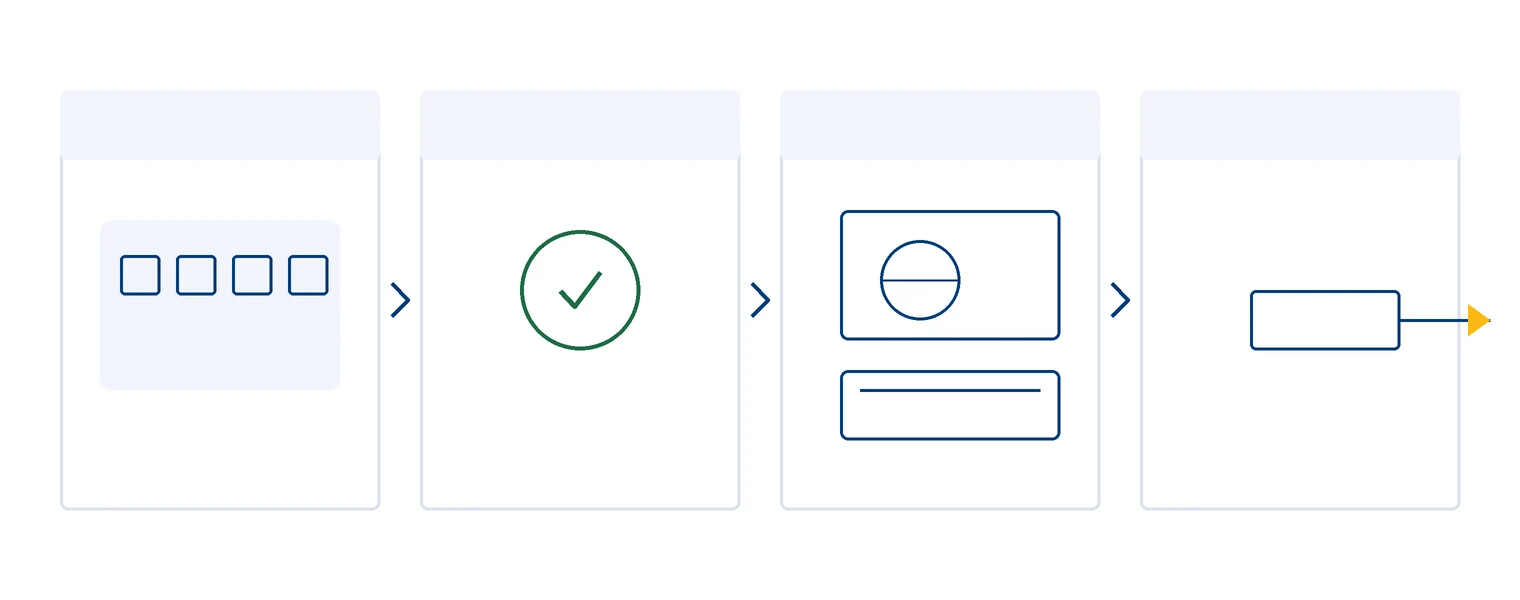
Send documents only through the menu inside your account. An admin asking for a KTP photo in a private chat is almost certainly a scammer, since that data gets used to take out loans in your name.
Referral codes and the new member bonus
The referral field records who invited you, and you can leave it empty without losing the welcome offer. Codes from social media accounts or group chats add nothing, and some are bait for copycat sites.
The offer for new accounts currently reads 100% new member bonus up to IDR 20 million. You claim it after your first deposit, not during sign-up.
New member promo
100% new member bonus up to IDR 20 million
Claim the bonus21+ · Terms apply on the promotions page
Read the turnover, game weighting and validity period on the promotions page before you deposit. If you would rather avoid bonus terms, skip the claim and deposit as usual.
BK8 registration errors and fixes
BK8 registration error messages are short and rarely explain the cause. This table maps the ones that come up most.
| Problem | Cause | Fix |
|---|---|---|
| Username already taken | The name is too common | Add numbers or try another combination |
| Phone number already registered | You signed up before, or the number used to belong to someone else | Try logging in or resetting the password; if that fails, contact support |
| OTP code never arrives | Weak signal, a full SMS inbox or a typo in the number | Wait two minutes, check the number, then request a new code |
| OTP code rejected | An old code used after a new one was sent | Use the most recent code |
| The form page won't load | The site address changed | Open it with a button on this page and check the address |
If a BK8 register attempt still fails after these steps, send a screenshot of the error to the operator's support team. Don't keep retrying with different details, because repeated attempts can get a phone number flagged. A clean BK8 registration on the first try saves days of back-and-forth later.
After the account is open
The new account works right away, but a few things are worth sorting out first. Store your username and password in a password manager, not in a gallery screenshot. Install the app with our BK8 app download guide or save the web version to your iPhone home screen. Also read our BK8 login guide, which covers password resets.
For the first deposit, start small and use a method registered in the same name as the account. It tests the cashier without putting much money at risk. Once the balance arrives, check the transaction history in the account menu and keep the receipt until the status shows complete. If your profile offers deposit limits, set them now, while you are still deciding with a cool head.
Site addresses can change at any time, so learn the signs of a fake page in our BK8 alternative link guide before your next login. For games, payment methods and withdrawal limits, see the BK8 Indonesia review on the home page.
BK8 register questions and answers
How long does BK8 registration take?
About five minutes if your details are ready. KTP verification for withdrawals runs separately and can take longer.
Is it free to sign up?
Yes. Opening an account costs nothing. You only deposit when you start playing or want the promotion.
Can I sign up without a KTP?
You can fill in the form without uploading a KTP, but withdrawals require identity verification. Without a KTP or passport, you cannot cash out.
What happens if my bank name differs from my BK8 account name?
Withdrawals are usually held until the names match. Use a bank account or e-wallet in your own name from the start, because the BK8 account name is almost impossible to change.
The OTP code never arrived. What now?
Wait two minutes, check the phone number on the form, make sure your SMS inbox is not full, then request a new code. Always use the latest code.
Does this site give out a referral code?
No. The referral field can stay empty. New accounts can still take the 100% new member bonus up to IDR 20 million under the promotion terms.
Can one person hold two accounts?
No. One person may hold a single BK8 account, and duplicate accounts can be closed along with their balances.
Details ready?
Open the form with the button below and type your name exactly as it appears on your KTP.
100% new member bonus up to IDR 20 million · 21+ · Terms apply on the promotions page